

Learn how to design a tagging system and provide the ability to order, filter, group, or organize records based on some arbitrary properties.
A feature you often need in web applications is the ability to order, filter, group, or organize records based on some arbitrary properties. In many situations, it’s simply called a “tag”, but the purpose and behavior is the same whether it’s called categories, metadata, groups, or descriptors.
Take a look at the storefront for the popular PC gaming platform STEAM. STEAM allows users to add text tags to games. Users can add any tag to a game, marking it as a “strategy” game, “painful” to play, or even just “goat”. Users can use these tags to filter their search to only show similarly tagged games, making it much easier to find the games they want.


Let’s take a look at several ways to approach tagging.
The Naive Approach
The naive approach you can do is to store the tags in as a comma separated string within a single database column, as shown below:

PRO: It’s dead simple.
Let’s face it. Adding a single column is really the easiest thing you can do.
CON: Querying is a pain.
How do you find potatoes that are delicious and warm, but not buttery or just delicious or just warm? Writing the query to do that would be difficult and cumbersome, especially as the number of possible tags increased.
CON: Prone to formatting errors
If a user adds a comma to their tag, you suddenly have a problem — that tag gets split into two tags.
CON: Limited by field length
Database columns have a maximum length and you might hit it.
Separate Columns
An evolution of the first approach is to store each tag of a record in its own column, conveniently labeled tag1, tag2, tag3, and so on.
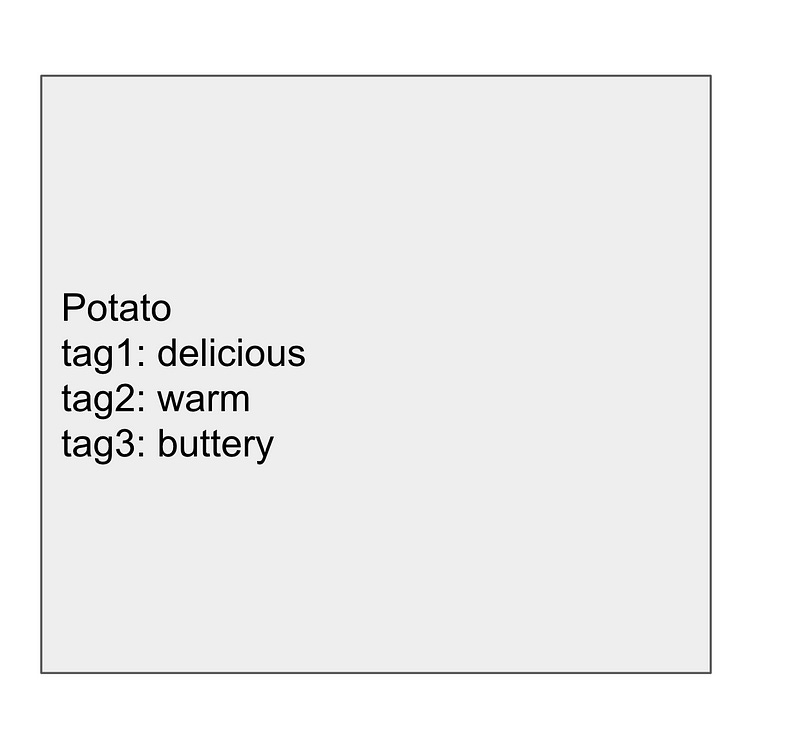
PRO: It looks right.
Having multiple columns for multiple values seems to be following sound database practices…right? (not in this case).
CON: Querying might actually be harder.
It might look like a good idea on the surface, but querying is actually harder. Now you have to include every single column in the query. Additionally, your code would have to check for whether a tag existed in every possible tag column since there’s no guarantee that a tag would be in any specific column for any record. tag1 might have “buttery” in Record 1, but Record 2 might have “warm” in tag1 and “buttery” in tag2.
CON: Adding more tags is difficult.
Every time you wanted to add more tags, you would need to add a new database column and change all your queries in the process. Just like the naive approach, you’d reach the limit pretty quickly.
The Separate Model
A third approach is to create a separate model for the tag. If you’re tagging a Potato, for example, you would create a model called PotatoTag that had a reference to the original Potato via a potato_id foreign key.
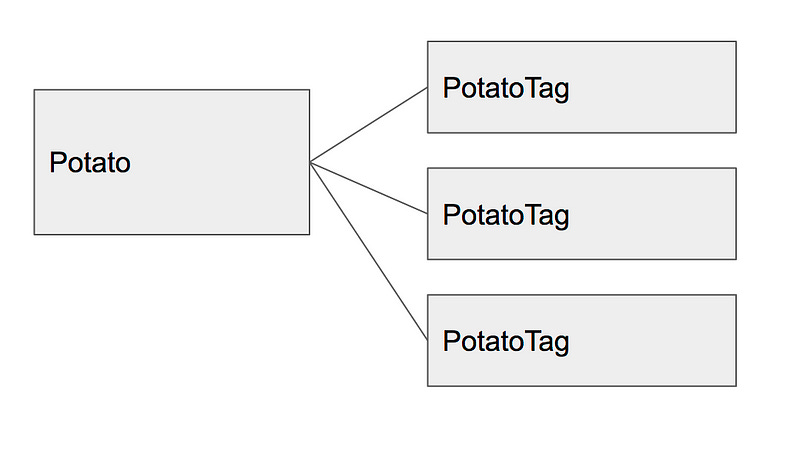
PRO: Querying is easier than the naive approach
In order to find all potatoes with the tag “buttery”, you would simply query for any potato with a PotatoTag that said “buttery”.
PRO: No practical limit
Unlike the naive approach, you don’t have a practical limit to the number of tags any one record could have.
CON: Separate model for every kind of tag
PotatoTag, GameTag, SnailTag — every kind of model you have would require its own table, which would get out of hand very quickly.
The Polymorphic Model
Instead of having a separate model for every tag, you have a generic model that is polymorphic.
Polymorphic database models essentially means that it can reference tables it doesn’t know about with the help of an extra field. In a typical relationship you would store the primary key of a reference (like the numeric id). However, with a polymorphic association, you would also store the type of the object associated with the id (eg. taggable_id and taggable_type). This allows you to associate records with multiple kinds of objects, even if they share the same id but are different types.
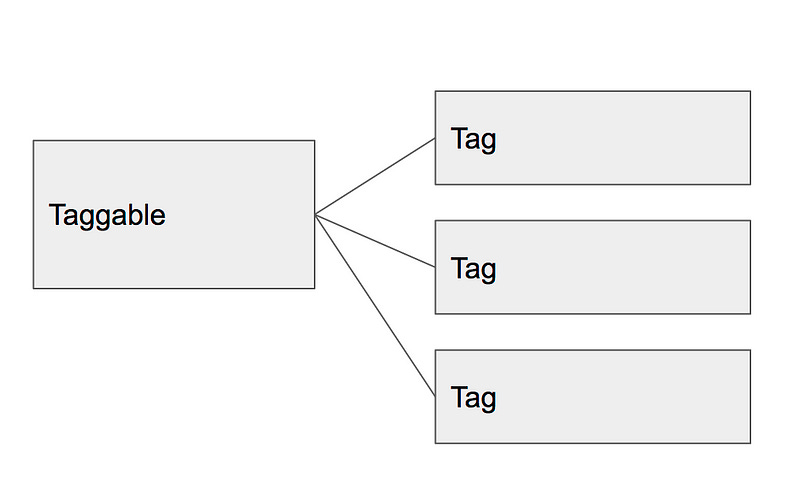
PRO: Benefits of Separate Model Approach
This approach shares the benefits of the separate model approach but without the maintenance burden of actually having separate models.
PRO: Tag anything and use the same exact code
Polymorphic models let you stick to the Don’t Repeat Yourself (DRY) principle. The code to interact with tags is exactly the same no matter what kind of record you’re tagging.
The Polymorphic Model with Constraints
Let’s say you don’t want users to be able to create arbitrary tags, but rather select from a limited set of tags. You could easily enforce this rule in the backend code. Let’s add a twist and say that you don’t know ahead of time what tags are in that set of allowed tags. This could happen in situations where administrators could choose what tags are available.
You’d need to allow administrators to store the allowed tags, and then draw from that list of allowed tags when normal users want to tag a record. A model where the tag information lies in a TagOption instead of in the tag itself can support this situation. The Tag itself would simply be an associative entity between the Taggable record and the TagOption, with the TagOption itself having the actual information of the tag.
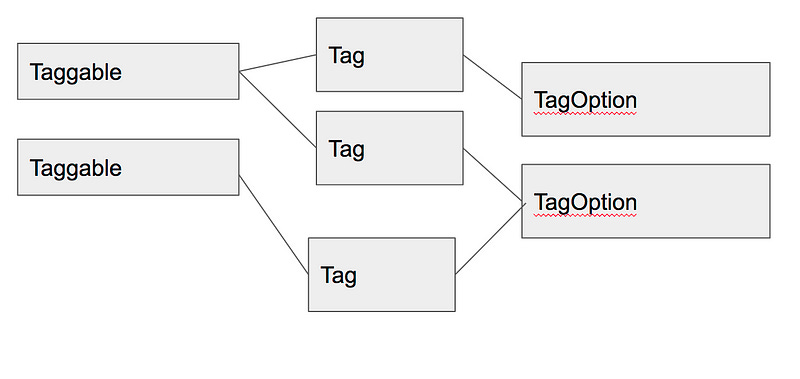
PRO: Limit tags to pre-approved set.
This approach lets you limit tags to an arbitrary set of tags.
PRO: Globally change tags
Because the actual tag information lives in the TagOption, you can change the meaning of a tag without changing the models associated with it. For example, if you had a tag option called “orange” and you wanted to change it to say “Orange”, you could by changing a single record (the TagOption)instead of every Tag in the database.
These are a few of the ways you could design a tag feature in your system. Remember that a tag can be anything, not just a word or name! It could be a color, a priority, or really any discrete value you can use to categorize or group records.